Field Season Is Here – Verify Your Satellite Device

Hi SafetyLine Users,
Field season is upon us! Time to get out there and do what you do best! If you’re using a satellite device, now’s the perfect moment to confirm it’s properly linked to your SafetyLine profile. A quick check means your proactive check‑ins and emergencies will always reach us and ensure you head home safely to your loved ones each day.
How to Verify Your Satellite Device
You can confirm the correct ESN or IMEI is attached to your account in two easy ways:
Via the Web Portal
- Visit slmonitor.com and log in with your credentials.
- Click the “My Settings” tab.
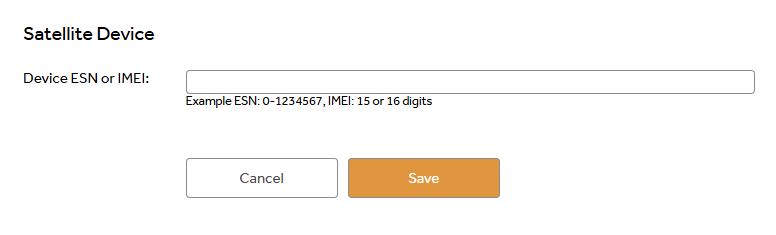
- Scroll down to the Satellite Device section and select Change Satellite Device.
- Ensure the ESN/IMEI shown matches the device you carry in the field.
Via the SafetyLine Mobile App
- Open the SafetyLine app on your device.
- Tap the ☰ (hamburger menu) in the top‑left corner.
- Review the ESN/IMEI listed.
You can also follow these articles to setup your devices:
- Configuring your inReach Satellite Device with SafetyLine – SafetyLine Help Center - 1-888-975-2563
- Configuring your ZOLEO Satellite Device with SafetyLine – SafetyLine Help Center - 1-888-975-2563
- Configuring your SPOT X device with SafetyLine – SafetyLine Help Center - 1-888-975-2563
Why This Matters
Your satellite device is your lifeline when you’re working remotely. By verifying the device on your profile, you:
- Guarantee reliable daily check‑ins so our team knows you’re safe.
- Ensure rapid emergency response if you ever need help.
- Protect yourself, so everyone can return home safely each evening.
Wishing you a productive and safe field season!
Stay Safe,
SafetyLine Team
Vous devez vous connecter pour laisser un commentaire.
Commentaires
0 commentaire